'ImageManipulation' external object was designed to help users create and modify images in runtime, by allowing the user to apply different effects and transformations.
e.g.:
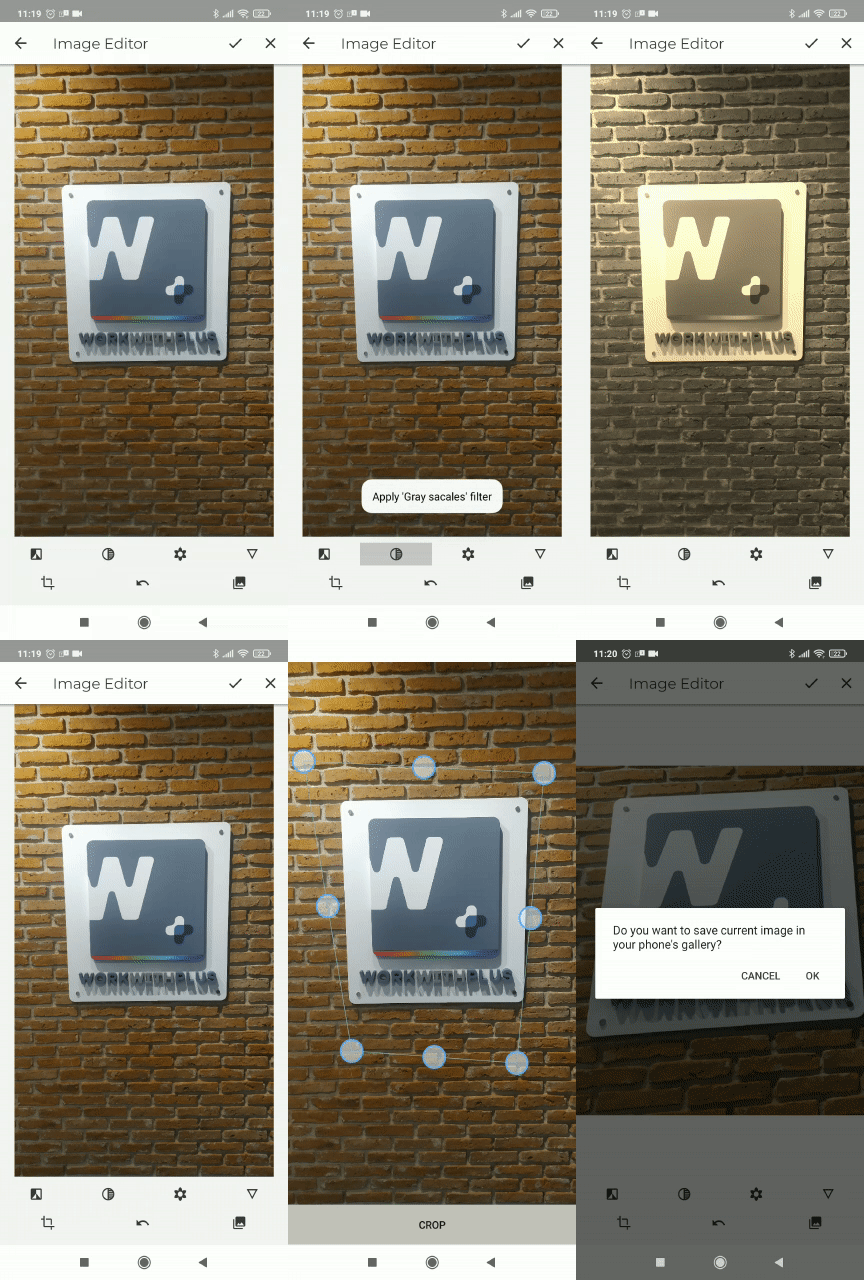
This external object includes the following functions:
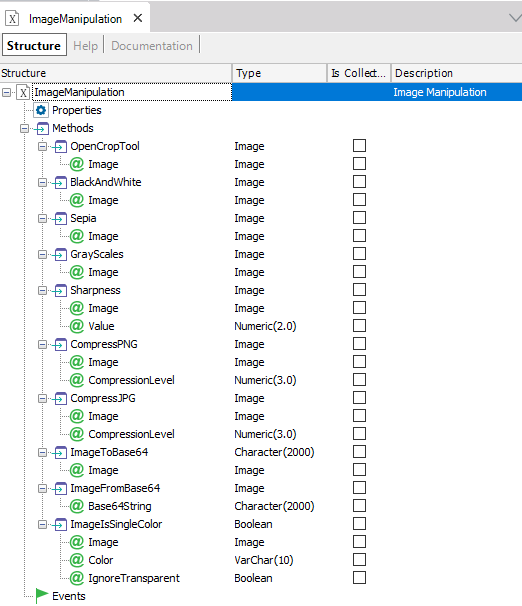
Opens a cropping tool that allows the user to define the edges of the image that will be used to crop the image.
The edges of the image are defined by selecting the four corners of the resulting image.
In case of containing a document, or card, the tool will attempt to automatically detect the paper's four corners.
Transforms the image to a "black and white" image, by replacing the colors of the image.
Applies a 'Sepia' filter on the image.
Transforms the image to "gray scales" by replacing the colors of the image.
Allows the user to define the 'sharpness' of the image.
Saves the image using PNG format and compression.
Saves the image using JPEG format and compression.
Gets a Character with the 'base64' representation of the image
Gets an image, from a character containing a 'base64' image representation
This function can be used to check if an image only contains a single color, e.g. image is "All white", or "All black".
This can be useful in some cases if the user wants to check whether an image is empty (all white/all transparent). e.g. can be combined with the "Image Annotations" user control to check if the user has entered a singnature.
|