Security can be assigned to a certain action of any WebPanel or object. This is set by the property "Security Functionality Key". Applies for StandardActions and UserActions.
Its default value (<default>) will check if one of the roles associated to the logged user have permission to access the WebPanel or object that the action invokes. That is why this value (<default>) only applies when the action is StandardAction or when the action has some value in GXObject (invokes directly to another object).
In the case that the action has no value in GXObject because executes the behavior wanted with user code, developer could set any Functionality key (an existing one in order to group it in some Functionality or a new one).
The StandardActions Insert, Update, Delete and Display by default (value <default>) will check on the properties associated to the transaction modes (Sec. Functionality Key Display Mode, Sec. Functionality Key Insert Mode, Sec. Functionality Key Delete Mode, Sec. Functionality Key Update Mode) as it is explained on Security in Modes
If this property is empty, the action will not be associated to any security functionality, so the action has no security (it will be always enabled, for all roles that have grant access to the WebPanel where the action belongs).
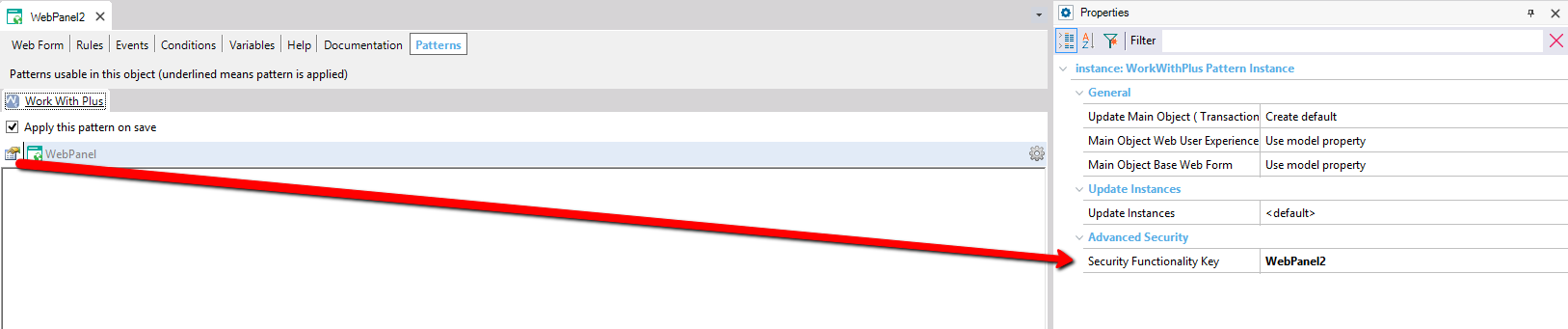
In the example below, MyAction will be enabled for the logged user, when some of its associated roles has access to the functionality assigned to WebPanel2
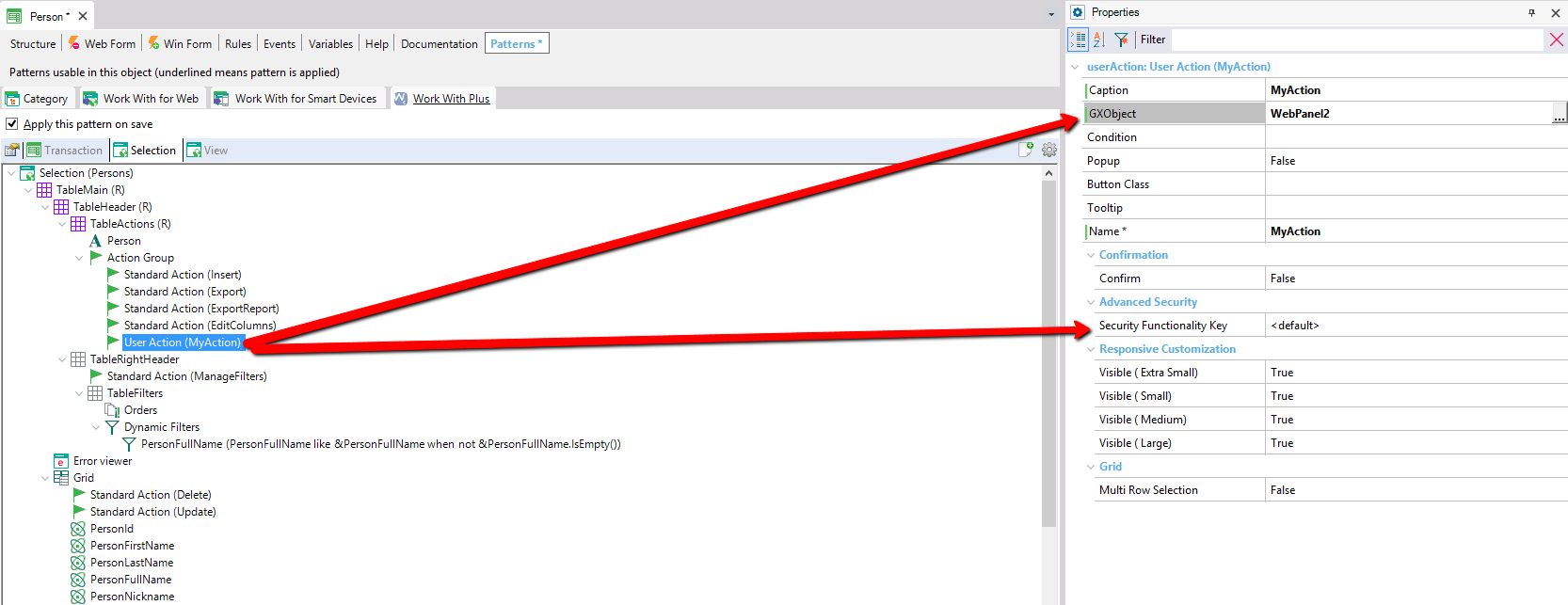
The functionality assigned to WebPanel2 is 'WebPanel2':
It is important to have in mind that every time that we change some 'Security Functionality Key' and we want to impact these changes in the application at runtime, we have to follow the steps of the section Update Security Functionalities of Advanced Security or GAM (depending on the Security that we have enabled):
|