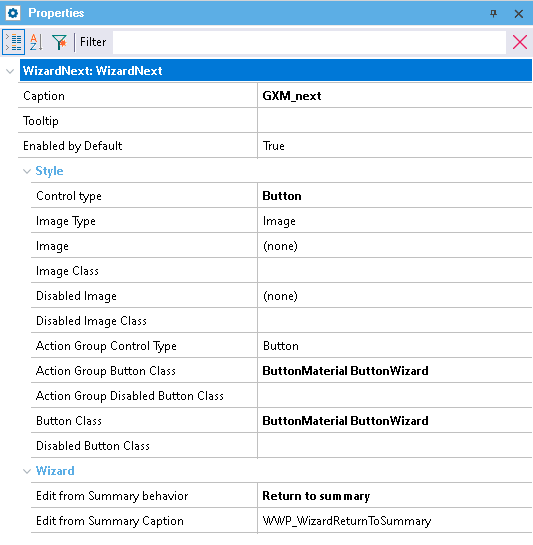
Wizard Next

This Standard Action allows you to go to next step of wizard. 
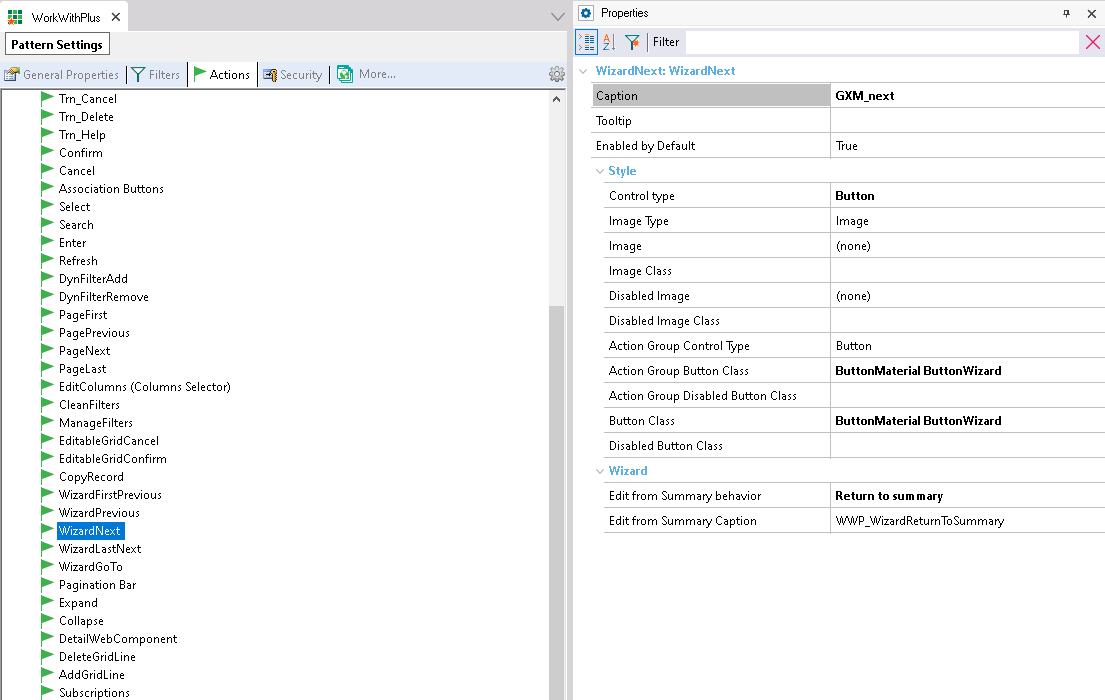
WorkWithPlus Pattern Settings, Actions tab, with "WizardNext" selected in the actions tree; the Properties panel shows Caption "GXM_next", Enabled by Default True, and Style settings including Control type Button, Action Group Button Class and Button Class both set to "ButtonMaterial ButtonWizard", and a Wizard section with "Edit from Summary behavior" set to "Return to summary" and "Edit from Summary Caption" set to "WWP_WizardReturnToSummary".

Standard Action Wizard Next has the following properties.

Category Property  
General Properties Caption Properties panel for the "WizardNext: WizardNext" action, selected (highlighted), showing Caption "GXM_next", Enabled by Default True, Style properties with Control type Button, Action Group Button Class and Button Class both "ButtonMaterial ButtonWizard", and a Wizard section with "Edit from Summary behavior" set to "Return to summary" and "Edit from Summary Caption" set to "WWP_WizardReturnToSummary".
Tooltip
Enable By Default
Style Control Type
Image Type
Image
Image Class
Disabled Image
Disabled Image Class
Action Group Control Type
Action Group Button Class
Action Group Disabled Button Class
Button Class
Disabled Button Class
Wizard Edit from Summary behavior
Edit from Summary Caption


Wizard

Edit from Summary behavior

Action behavior when the current step is accessed from the 'Edit' action of the summary step.

Two possible values:

  • Go to next step: will go to the next step of the Wizard. It is the behavior of previous versions of WorkWithPlus
  • Return to summary: it will return to the summary step.

Edit from Summary Caption

Caption of edit button from summary.