How to: set a specific User Action that expands a grid record (Expanded info in Grid)

This section explains the steps needed so that when you click in some User Action, the grid expands some specific record and displays its information.

First, you need to have a Web Panel with the 'Expanded info in Grid' configured:
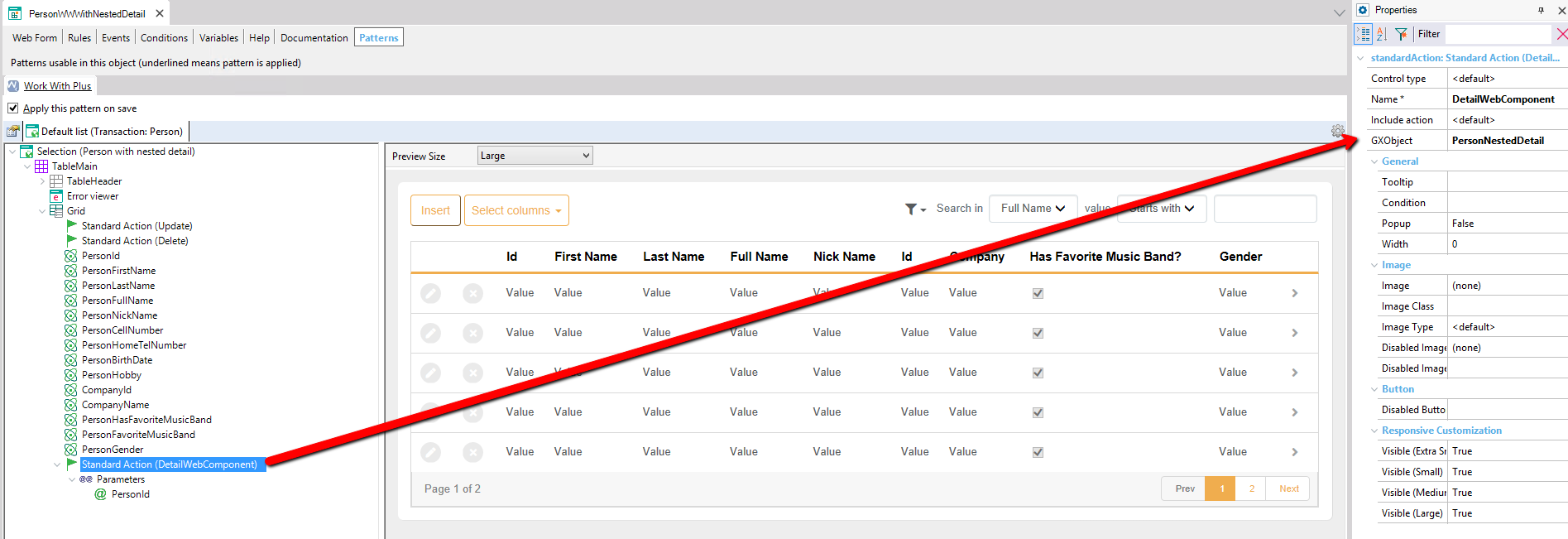
GeneXus Patterns tab for "PersonWWWithNestedDetail", showing the WorkWithPlus pattern instance tree with a Grid node and a red arrow linking the selected "Standard Action (DetailWebComponent)" node to its Properties panel, where GXObject is set to PersonNestedDetail; the preview on the right shows a grid with Id, First Name, Last Name, Full Name, Nick Name, Company, Has Favorite Music Band, and Gender columns with Value placeholders and pagination.

This is explained in the section How to: Create a grid with expanded information (Plain) and How to: Create a grid with expanded information (Grid)

Then, in the Event associated to the Action, add the following code:

    &IsOpenDWC = True
    Grid.Refresh()

Finally, in the Grid.Load Event, add the following code at the bottom of the code generated automatically by WorkWithPlus:

    &DetailWebComponent.ColumnClass = !'WWIconActionColumn WCD_ActionColumn'    
    If &IsOpenDWC and ( <CONDITION> )
        &DetailWebComponent.ColumnClass += !' WCD_Opened'
        &IsOpenDWC = False
    EndIf

At runtime, you will be able to expand a record of the grid clicking in the User Action. In the following sample <CONDITION> is 'PersonId = 2':
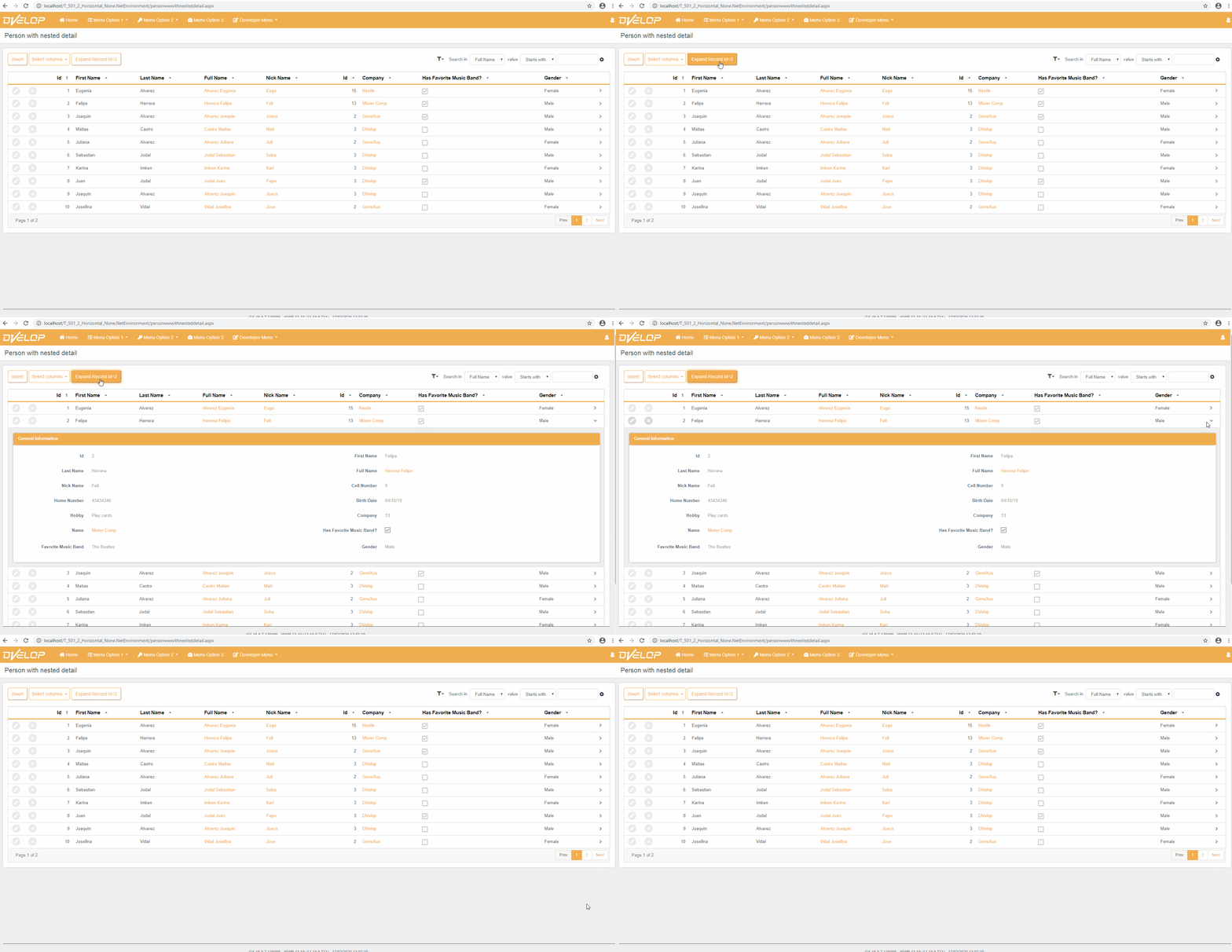
Running "Person with nested detail" web page (personwwwithnesteddetail.aspx) built with WorkWithPlus, showing a DVelop-branded top menu and a grid of people with Id, First Name, Last Name, Full Name, Nick Name, related company Id/Name, Has Favorite Music Band checkbox, and Gender columns; toolbar buttons read Insert, Select columns, and Expand Record Id=2, with Search in Full Name filter controls and pagination Prev/1/2/Next.