Contextual Actions Visibility

The possibility to show actions that have 'Multi Row Selection' enabled, only when items of the grid are selected was added.
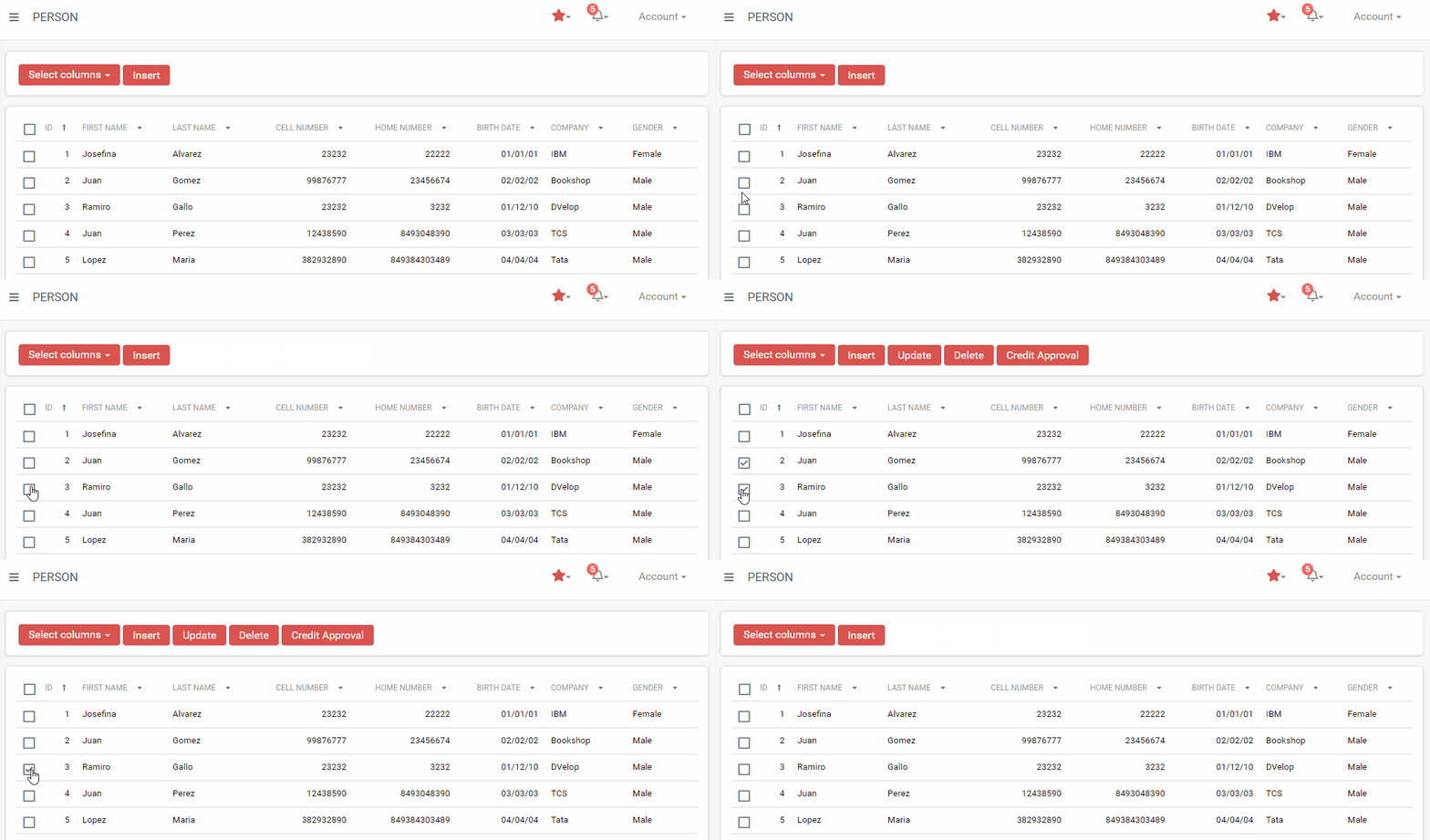
A generated Person list page shows Select columns and Insert buttons above a grid with sortable columns ID, First Name, Last Name, Cell Number, Home Number, Birth Date, Company, and Gender, listing sample rows such as Josefina Alvarez and Juan Gomez.

In order to configure this in all the actions with multi row selection of your KB, you need to have the following:

  • In WorkWithPlus Settings -> Template -> 'Optimization Number' property has to have value 7 or higher.
  • In the Master Page of your application (by default it is WorkWithPlusMasterPage), you need to have the User Control WWP Utilities with the property 'EnableUpdateRowSelectionStatus' with the value 'True'
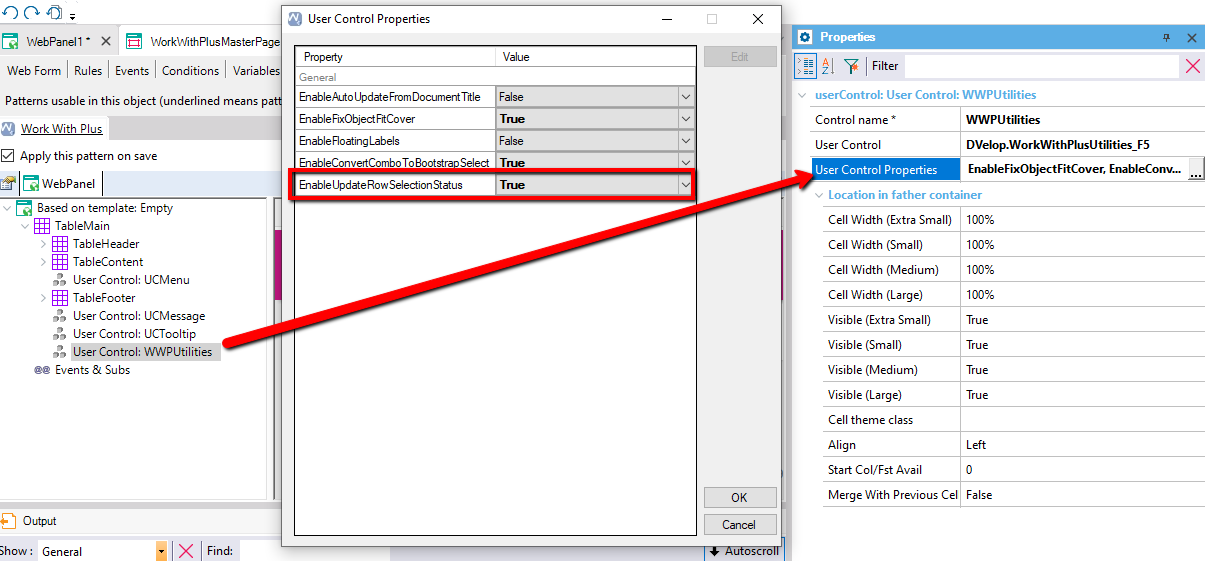
In a WebPanel's Patterns tab, the User Control Properties dialog for the WWPUtilities control lists properties EnableAutoUpdateFromDocumentTitle, EnableFixObjectFitCover, EnableFloatingLabels, EnableConvertComboToBootstrapSelect, and the highlighted EnableUpdateRowSelectionStatus set to True; the Properties panel shows the userControl WWPUtilities using DVelop.WorkWithPlusUtilities_F5.